Pipeline management for multifamily deal teams
Track every multifamily acquisition from first tour through closing. Rent rolls, T-12s, inspections, and lender quotes, all in one workspace.
14-day free trial · Full access · Cancel anytime
Used by commercial real estate investment and development teams to manage deals from sourcing to close.
Why multifamily teams outgrow spreadsheets
Multifamily deal flow moves in waves. Your team might screen 20 properties in a single week during peak sourcing, then juggle three simultaneous DD periods a week later. The pace is hard to manage without a system designed for it.
Most teams start with a shared spreadsheet. It works for a while. Each deal gets a row, each column holds a key metric, and the team reviews it together on Mondays. But the spreadsheet quietly decays. Someone edits from their phone and breaks a formula. The rent roll column holds a date for one deal, a percentage for another, and a text note for a third. The inspection status is in someone's inbox. The lender quotes are buried in email threads nobody can find.
By the time the team is tracking 15+ active deals with rent roll analysis, property condition reports, environmental assessments, and multiple lender quotes per deal, the spreadsheet is no longer the source of truth. It's a summary of what the lead acquisitions person remembers. That is a fragile place to make eight-figure decisions.
The deeper problem is that multifamily underwriting depends on details the spreadsheet cannot hold. Unit mix, historical occupancy trends, trailing 12-month operating statements, deferred maintenance observations, and tenant payment history are documents, not data points. They live in PDFs, photos, and email attachments. A pipeline system that only tracks high-level status misses the context the team needs to decide whether to pursue a deal.
You also cannot share a spreadsheet with an equity partner without giving them visibility into every other deal in the pipeline. Most teams end up manually exporting a snapshot before each investor call, which immediately goes stale. The work of reporting becomes its own job.
Common multifamily pipeline scenarios
Screening 25 deals at once
A broker dumps fifteen offering memorandums into your inbox on a Monday. You need to rank them, assign them to analysts, and have initial pricing back by Friday. Your current system does not scale beyond about six concurrent screens before things slip.
Juggling parallel DD workstreams
You have three garden-style properties in DD simultaneously. Each has a different inspector, a different environmental consultant, and a different lender. Deadlines are colliding and the team cannot see the full picture.
Managing lender quote comparisons
On a $30M agency deal, you solicit quotes from four lenders. Each quote arrives as a PDF with different assumptions. The comparison lives in one analyst's head until a partner asks for a side-by-side.
How MotionCRE handles multifamily pipeline management
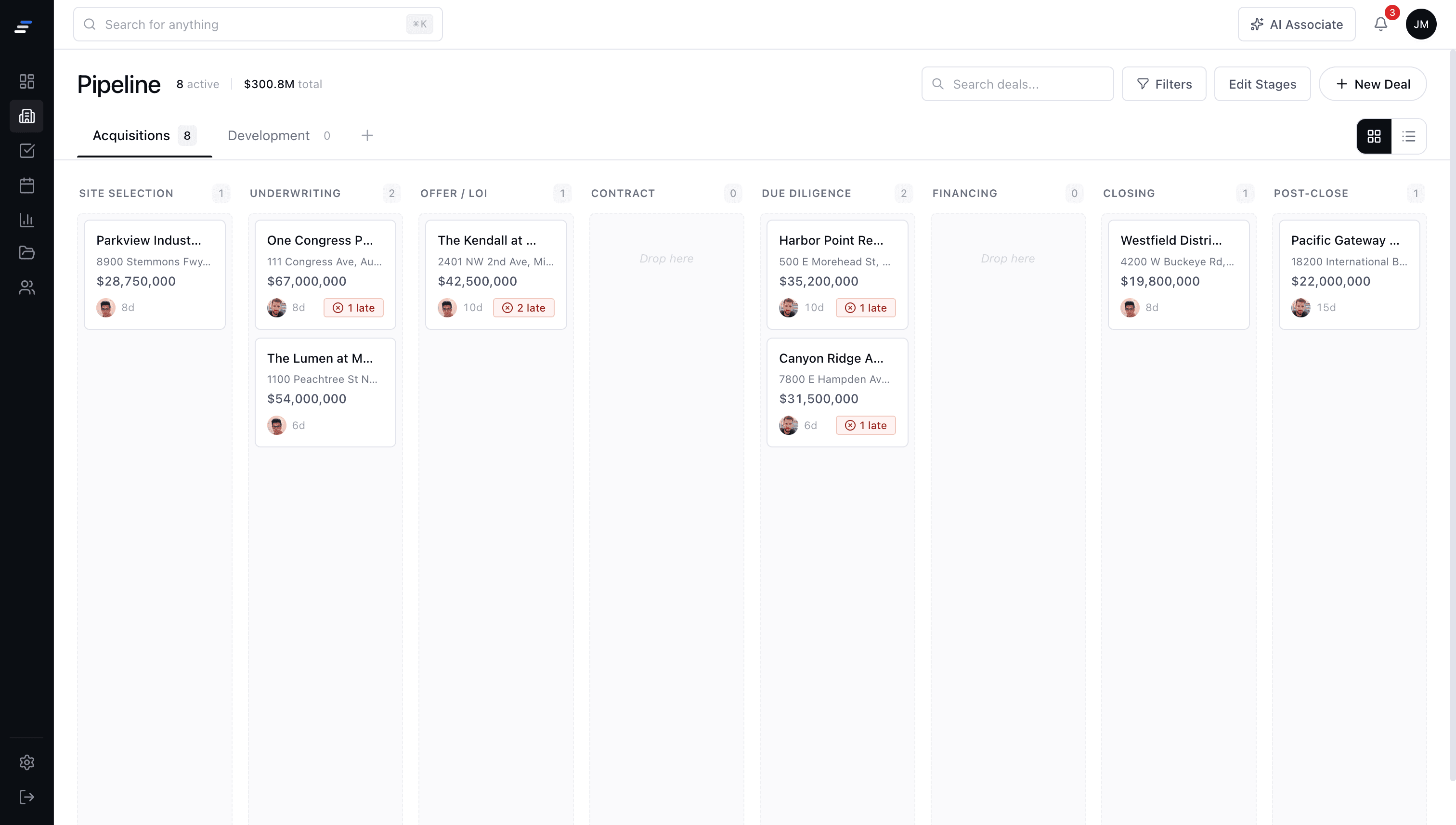
A dedicated pipeline view for multifamily
Drag and drop deals across your stages: sourcing, underwriting, LOI, DD, and closing. Every card shows unit count, purchase price, cap rate, and current workstream status at a glance.
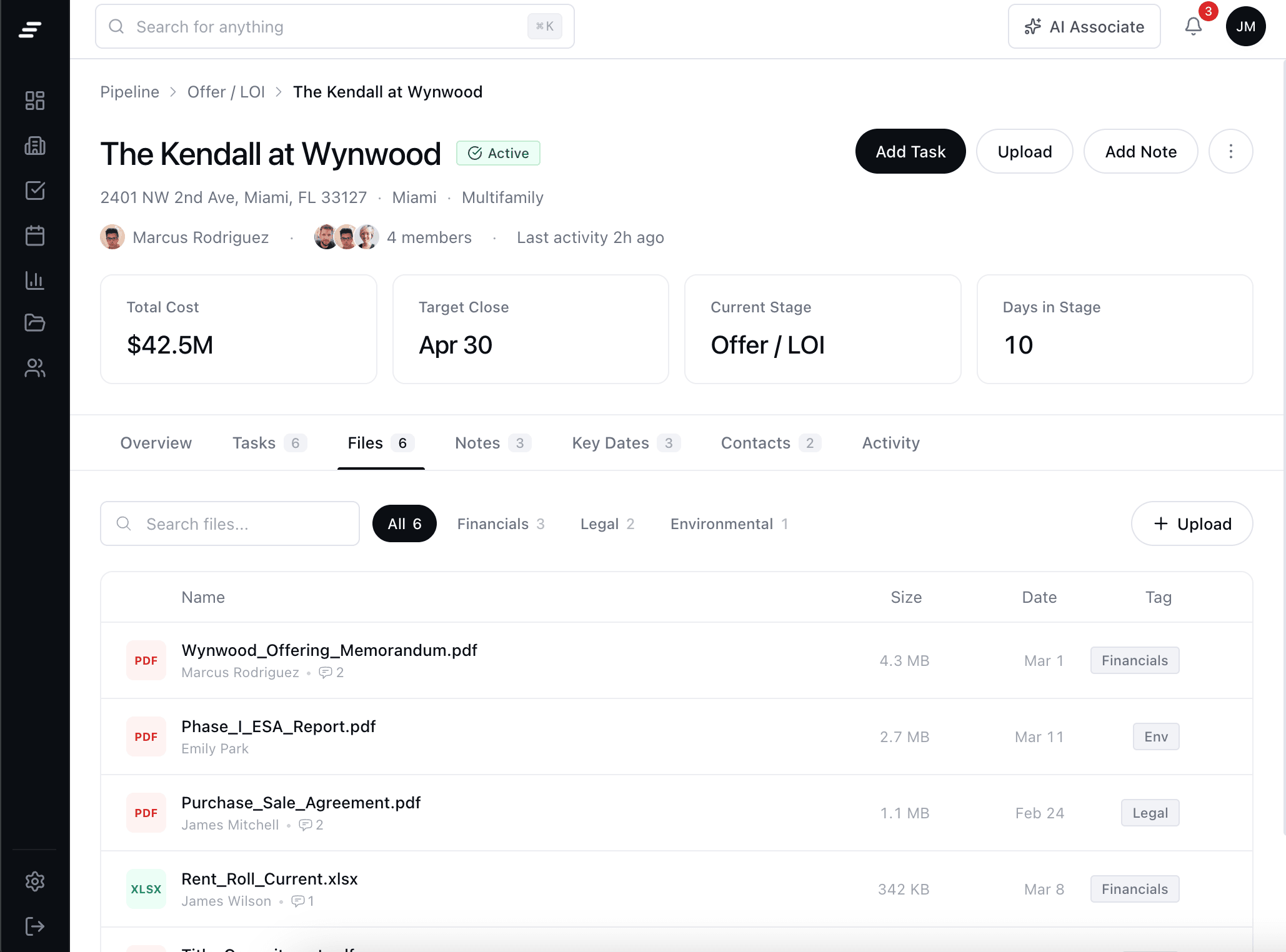
Deal workspaces for every property
Each multifamily deal gets its own workspace with document storage, tasks, contacts, and lender tracking. Everything lives together so the team can pick up any deal and know where it stands.
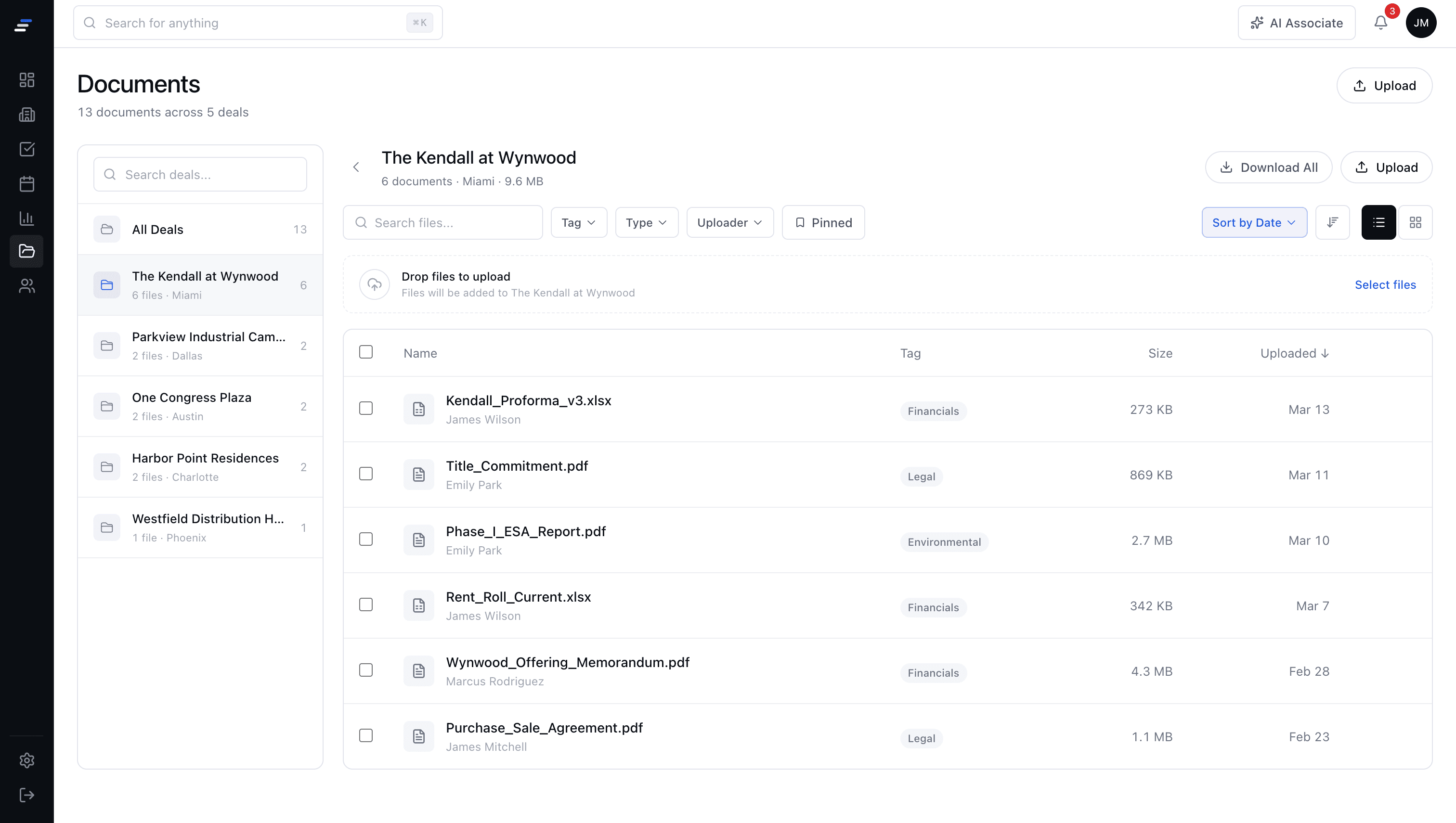
Rent roll and T-12 organization
Drop in the rent roll and T-12 operating statements. MotionCRE version-tracks them automatically so your team always works off the latest numbers with a full history trail.
Questions about MotionCRE
Common questions about our deal management platform for commercial real estate teams.
Book a Demo →Join CRE teams already running their deals on MotionCRE
Your pipeline, your deals, tracked from sourcing to close.
14-day free trial · Full access · Cancel anytime