Pipeline management for commercial real estate acquisitions teams
Stop running your pipeline in a spreadsheet. MotionCRE gives acquisitions teams a structured workspace for every deal, from sourcing through closing.
14-day free trial · Full access · Cancel anytime
Used by commercial real estate investment and development teams to manage deals from sourcing to close.
What acquisitions teams actually need from a pipeline
Most commercial real estate acquisitions teams are running fifteen to fifty active deals at any given time. Some are in early screening, some are in letter of intent, some are in due diligence, and a few are in closing. The team needs to know the status of every one without interrupting each other.
The generic work management tools (Asana, Monday, Notion) were not built for commercial real estate. They do not have fields for purchase price, cap rate, unit count, or square footage. They do not integrate with deal documents. They do not understand the workstreams that define a commercial real estate deal. Teams spend hours customizing them into something that resembles a CRE pipeline, and the customization breaks every time the tool is updated.
Spreadsheets are the common fallback. A shared Google Sheet with a row per deal, columns for key metrics, and colored cells for deal stage. It works for a while, then breaks. Someone edits from their phone. A formula gets corrupted. The inspection status for half the deals is out of date. And the spreadsheet cannot hold documents, so the team is still hunting through email and Dropbox folders to find the rent roll on any given deal.
Acquisitions teams need something built for how they work: a pipeline that understands CRE deals, a workspace for each deal with the documents and contacts and tasks, and a system the whole team can trust as the source of truth. That is what MotionCRE is.
How an acquisitions team uses MotionCRE end-to-end
- 1
Sourcing
Broker sends an offering memorandum by email. Your team creates a new deal in MotionCRE and uploads the OM directly to the workspace.
- 2
Initial screening
An analyst runs preliminary underwriting and moves the deal to the screening stage with key metrics populated on the card.
- 3
Letter of intent
The team decides to pursue. LOI is drafted in the workspace, negotiated, and executed. The deal advances to DD.
- 4
Due diligence
Every DD workstream becomes a task with an owner and a deadline. Files are uploaded as they come in. Lender quotes are tracked side-by-side.
- 5
Closing
Closing checklist is run from the workspace. Wire confirmations and closing documents are stored in the deal room for future reference.
How pipeline management serves acquisitions teams
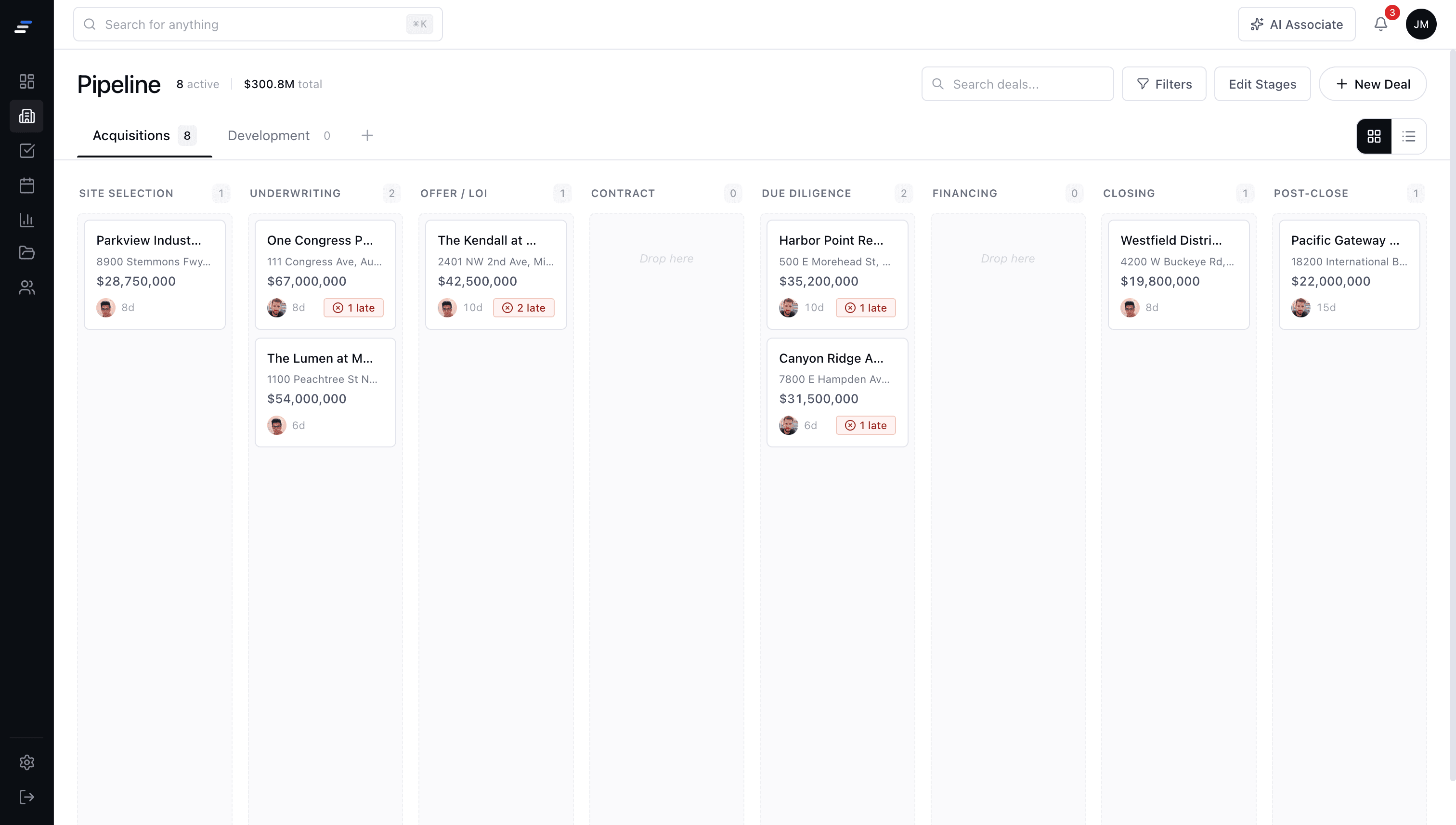
A pipeline designed for CRE deals
Drag and drop deals across your acquisition stages. Every card shows the deal economics, asset class, and current workstream at a glance. No custom fields to configure.
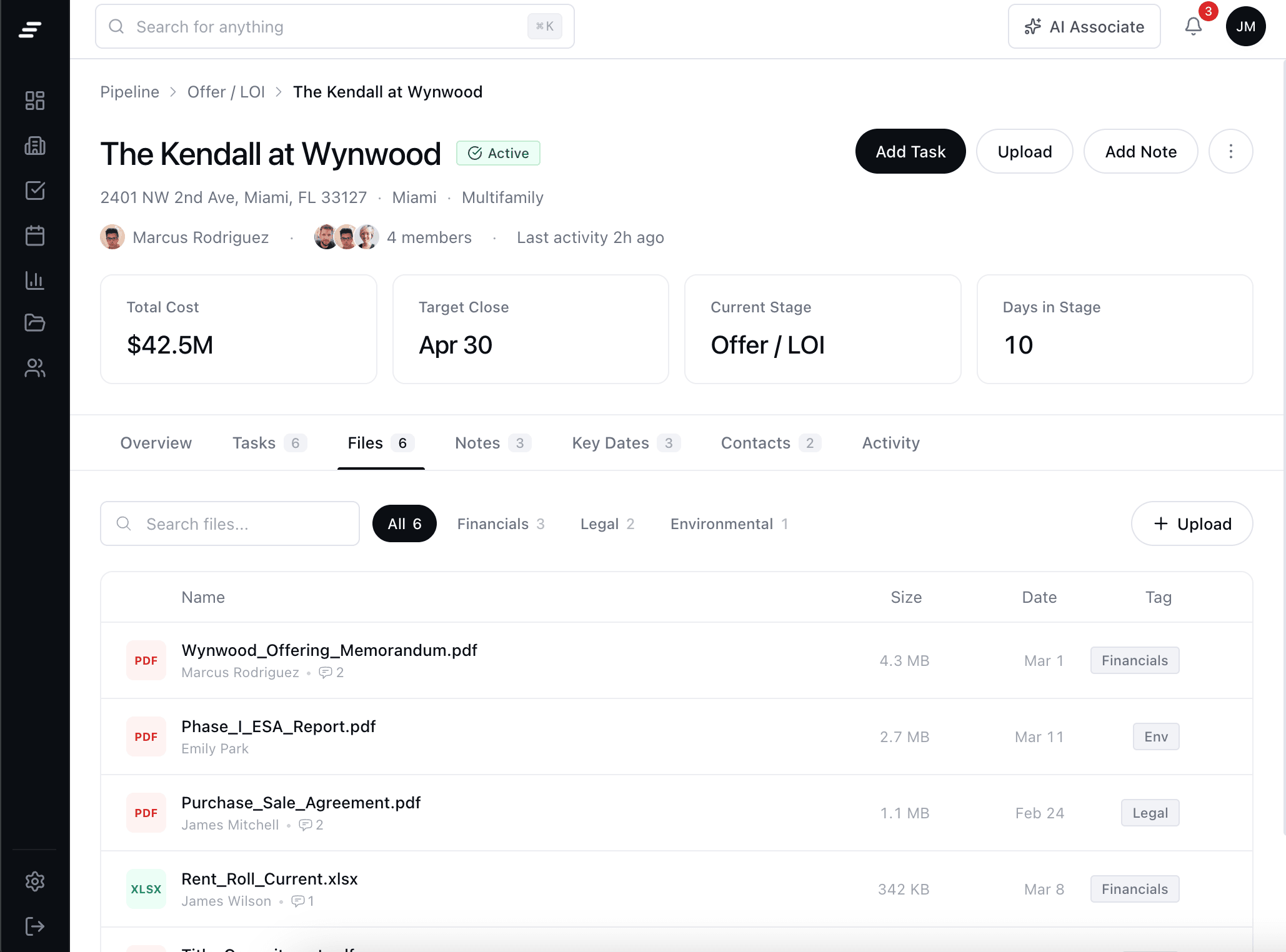
Deal workspaces with files, tasks, and contacts
Every deal in the pipeline has its own workspace. Upload the OM, track DD tasks, note the lender contacts. Everything lives in one place.
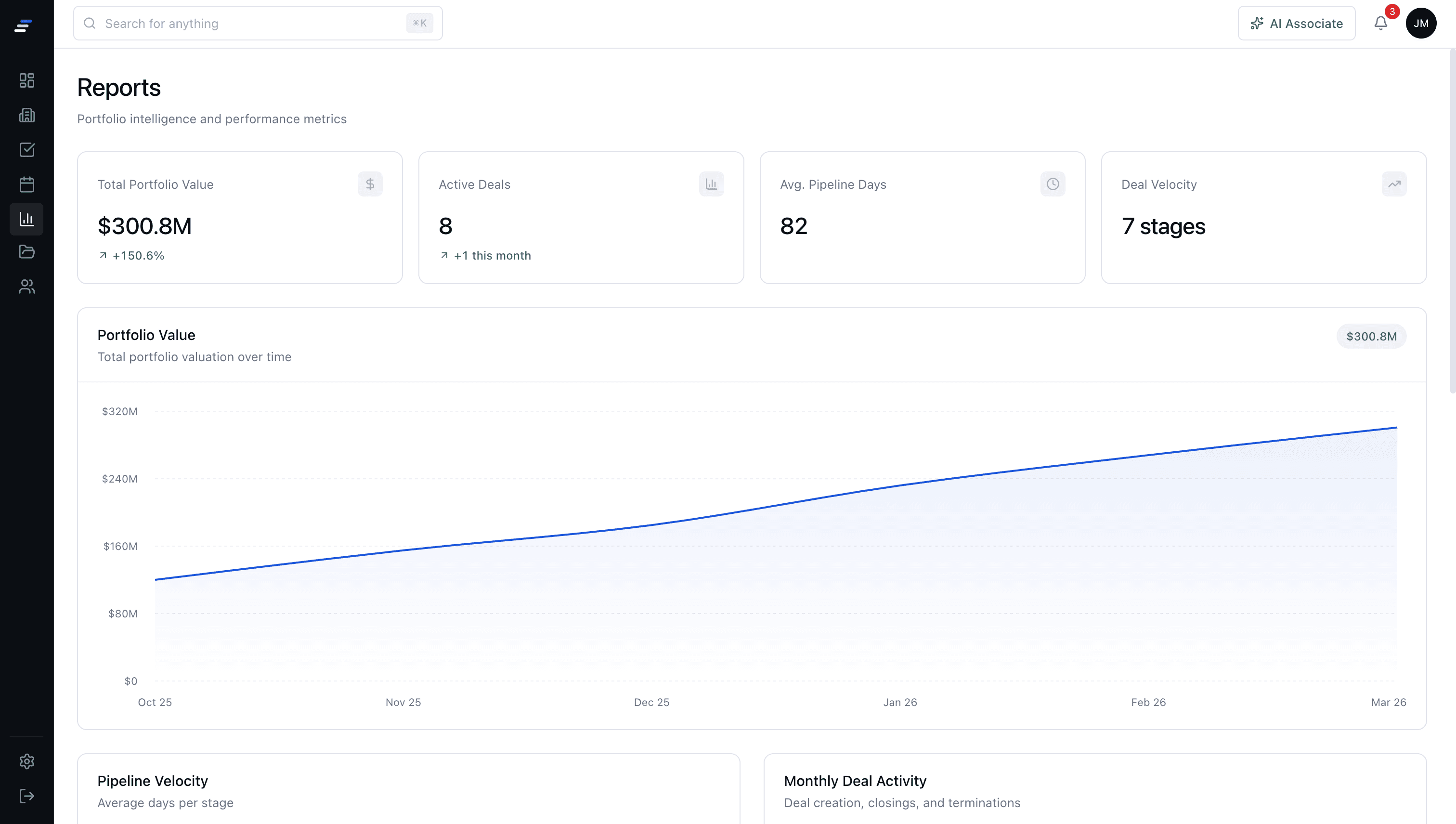
Filter and report for partner meetings
Filter your pipeline by asset class, stage, broker, or price range. Export a clean snapshot for partner meetings without rebuilding a spreadsheet.
Join CRE teams already running their deals on MotionCRE
Your pipeline, your deals, tracked from sourcing to close.
14-day free trial · Full access · Cancel anytime